Microsoft Foundry Cross-Region with Private Endpoints (Part 1)
🎯 TL;DR: Deploy Microsoft Foundry Cross-Region with Private Endpoints
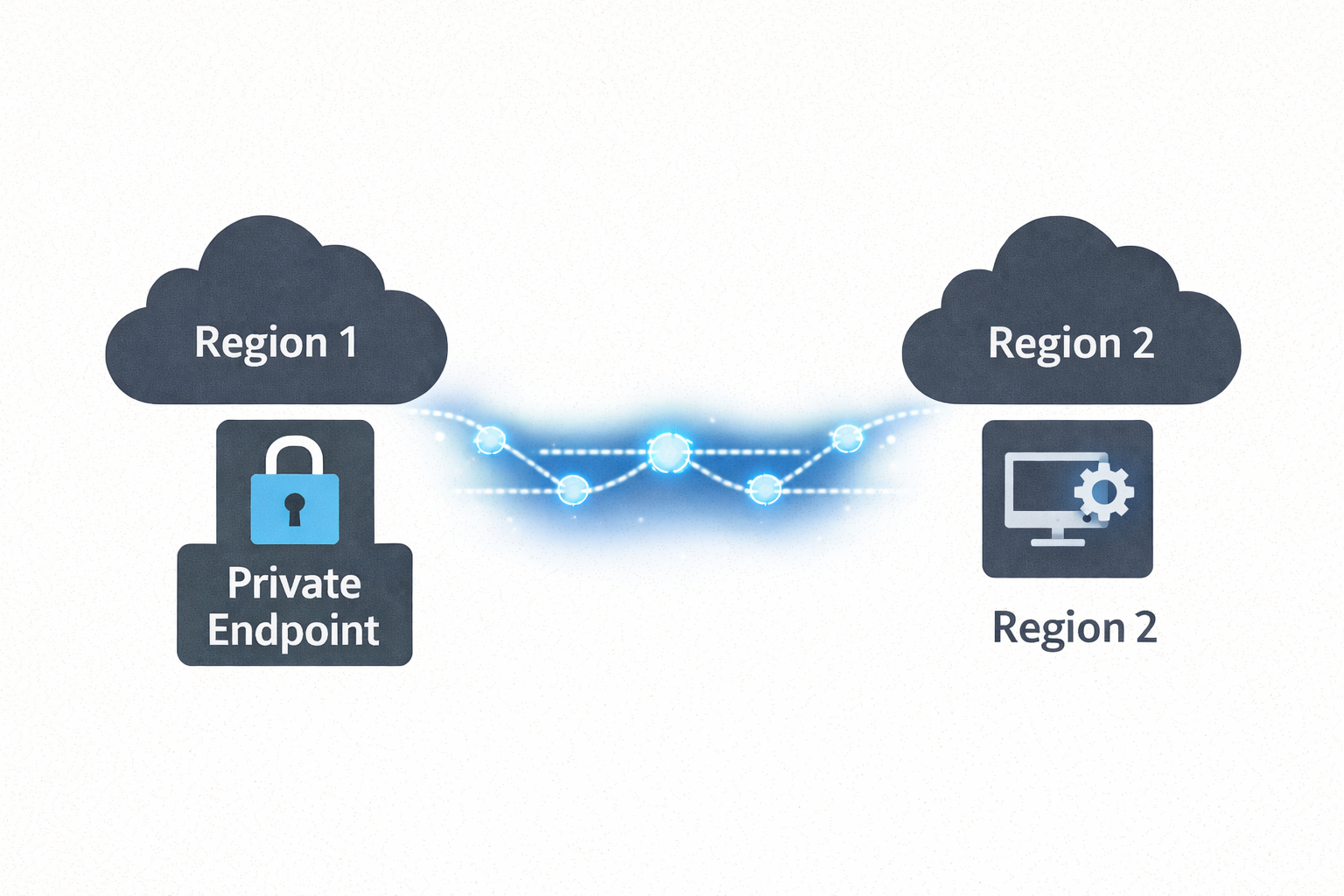
Microsoft Foundry isn’t available in every Azure region, but data residency requirements often mandate that all data at rest stays within specific regions. This post demonstrates how to keep your data in your compliant region (e.g., New Zealand North) while leveraging Microsoft Foundry in another region (e.g., Australia East) purely for AI inferencing. Using cross-region Private Endpoints over Azure’s backbone network, applications securely access Foundry’s AI capabilities without data traversing the public internet—maintaining both regional compliance and zero-trust security posture.
The Solution: All data at rest, applications, and Private Endpoints remain in NZN. Microsoft Foundry deployed in AUE provides AI inferencing only. Private connectivity ensures secure, compliant architecture across regions.
When deploying Microsoft Foundry (formerly Azure AI Foundry) in enterprise environments, you’ll face a critical constraint: Microsoft Foundry isn’t available in every Azure region, yet data residency requirements mandate that all data at rest remains within specific regions.
Imagine this scenario: Your organization must keep all data in New Zealand North due to regulatory compliance, but Microsoft Foundry is only available in Australia East. You can’t move data to AUE, but you need Foundry’s AI capabilities. How do you maintain compliance while accessing AI inferencing services?
The solution is architectural: Keep all data at rest in your compliant region (NZN) and use Microsoft Foundry in the available region (AUE) purely for AI inferencing. By deploying cross-region Private Endpoints, applications in NZN securely access Foundry’s AI services over Azure’s backbone network—no public internet, no data residency violations, no compromises.
This guide walks through the complete architecture, DNS configuration, security considerations, and implementation steps for deploying this cross-region private endpoint pattern.
⚠️ Important: Foundry Agents Service Limitation
If you plan to use the Foundry Agents service specifically, there is a known limitation at the time of writing: all Foundry workspace resources (Cosmos DB, Storage Account, AI Search, Foundry Account, Project, Managed Identity, Azure OpenAI, or other Foundry resources used for model deployments) must be deployed in the same region as the VNet.
This means the cross-region pattern described in this post will not work for Foundry Agents deployments—you would need to deploy everything in the same region (e.g., all resources in Australia East where Foundry is available).
However, if you are NOT using the Foundry Agents service (i.e., you’re only using Foundry for AI inferencing via API calls—OpenAI models, Speech Services, Vision, etc.), then the cross-region private endpoint pattern works perfectly, and all your data can reside in your chosen compliant region as described in this post.
For more details, see Microsoft Learn - Virtual Networks with Foundry Agents - Known Limitations
flowchart TB
    subgraph azure["☁️ Azure Backbone"]
        direction TB
        subgraph NZN["🌏 NZN - Data Residency Region"]
            direction TB
            subgraph vnet["VNet:  10.1.0.0/16"]
                subgraph appsnet["Subnet: snet-apps • 10.1.1.0/24"]
                    client[👤 Client App / VM
10.1.1.10]
                    data[(💾 Data at Rest
Storage, SQL, etc.)]
                end
                subgraph pesnet["Subnet: snet • 10.1.2.0/24"]
                    pe[🔒 Private Endpoint
10.1.2.4]
                end
            end
            dns[🔐 Private DNS Zones
Resolves to Private IP]
        end

        subgraph AUE["🌏 AUE - AI Inferencing"]
            foundry[[🤖 Microsoft Foundry
myFoundry. cognitiveservices.azure.com]]
        end

        pe ==>|"🔐 Private Link
"| foundry
    end

    internet[/"🌐 Public Internet
❌ Blocked"/]

    client --> dns
    dns -.->|10.1.2.4| pe
    client -->|HTTPS| pe

    foundry -.-x internet

    style azure fill:#f5f5f5,stroke:#666,stroke-width:2px,stroke-dasharray: 5 5
    style NZN fill:#e3f2fd,stroke:#1976d2,stroke-width:3px
    style AUE fill:#e8f5e9,stroke:#388e3c,stroke-width:3px
    style internet fill:#ffebee,stroke:#c62828,stroke-width:2px
    style vnet fill:#e1f5fe,stroke:#0288d1,stroke-width: 2px
    style dns fill:#f3e5f5,stroke:#7b1fa2,stroke-width:2px
    style pe fill:#fff3e0,stroke:#ef6c00,stroke-width:3px
    style data fill:#e8f5e9,stroke:#388e3c,stroke-width:2px
Understanding Microsoft Foundry
Microsoft Foundry is a unified platform-as-a-service for enterprise AI that brings together agents, models (including Azure OpenAI, Speech, Vision), and AI development tools under one managed resource. Think of it as a comprehensive AI studio environment where developers can build, evaluate, and deploy generative AI applications without the complexity of stitching together multiple Azure services manually.
Why Foundry Matters for Enterprise AI
Foundry provides several enterprise-grade capabilities out of the box:
Unified AI Platform: Instead of managing separate Azure OpenAI, Cognitive Services, and ML resources, Foundry consolidates these into a single managed environment with consistent APIs and management experiences.
Enterprise Security & Compliance: Built-in support for managed identities, RBAC, audit logging, and network isolation ensures your AI applications meet corporate security requirements.
Observability & Monitoring: Integrated tracing, logging, and monitoring capabilities help you understand how your AI applications are performing and troubleshoot issues quickly.
Development Productivity: A unified development experience through Azure AI Studio portal and SDKs accelerates AI application development by reducing integration overhead.
Because Foundry encapsulates many Azure AI services and provides such comprehensive capabilities, it has specific networking requirements when you want to integrate it into a secure, enterprise cloud environment. This is where Private Endpoints become critical.
Azure Private Endpoints: The Foundation of Secure Connectivity
An Azure Private Endpoint is essentially a network interface (NIC) with a private IP address from your Azure Virtual Network that connects privately to a supported Azure service. When you create a private endpoint for a service like Foundry, you’re bringing that service into your VNet’s address space, allowing VNet resources to reach the service via an internal IP address instead of traversing the public internet.
How Private Link Works Under the Hood
Azure Private Link is the technology that makes Private Endpoints possible. Here’s what happens when you enable private connectivity:
- Private IP Assignment: A network interface is created in your VNet subnet with a private IP (e.g.,
10.1.2.4) - DNS Resolution: The service’s FQDN (e.g.,
myFoundry.cognitiveservices.azure.com) is configured to resolve to the private IP instead of the public endpoint - Backbone Network Transit: Traffic between your VNet and the service travels entirely on Microsoft’s backbone network, never touching public internet routes
- Regional Flexibility: The private endpoint can be in a different region than the target service, enabling cross-region private connectivity
Key Benefits of Private Endpoints
Enhanced Security: Traffic never leaves Azure’s internal network, eliminating internet-based attack vectors and data exfiltration risks.
Supported Across Azure PaaS: Many Azure services support private endpoints including Storage accounts, SQL databases, Cosmos DB, Cognitive Services (which Foundry uses), Key Vault, and more.
Cross-Region Capability: Critically, Azure allows the private endpoint’s NIC to reside in a different region than the service’s region. The private endpoint must be in the same region as the VNet you place it in, but the target resource can be in any Azure region. This is the key feature that enables our solution.
DNS Integration: Azure Private DNS Zones provide seamless name resolution, making private endpoint connectivity transparent to applications.
DNS Configuration Requirements
Using a private endpoint requires configuring DNS so that the service’s FQDN resolves to the private IP instead of the public IP. For Azure Cognitive Services (which Foundry is built on), this typically involves:
- Creating a Private DNS Zone:
privatelink.cognitiveservices.azure.com - Linking the zone to your VNets
- Adding an A record mapping the Foundry hostname to the private endpoint IP
Without proper DNS configuration, clients will continue resolving the public IP address and bypass the private link entirely, defeating the purpose of the security setup.
The Cross-Region Challenge: When Foundry Isn’t Available Locally
Understanding the Regional Availability Problem
Microsoft Foundry is not yet available in every Azure region. At the time of writing, Foundry has limited regional availability as Microsoft continues rolling out the service globally. This creates a common scenario for many organizations:
The Scenario: Let’s imagine an organization with Azure infrastructure primarily deployed in New Zealand North (NZN) – perhaps due to data residency requirements, latency optimization for local users, or established governance policies. However, Microsoft Foundry is only available in Australia East (AUE), with New Zealand North not yet on the supported regions list.
The Challenge: The organization needs to leverage Foundry’s powerful AI capabilities while maintaining private network connectivity and keeping all traffic within the Azure environment. Simply deploying everything in Australia East isn’t feasible due to data residency requirements etc. So all data at rest needs to be in New Zealand North region. Microsoft Foundry will be used for AI inferencing only and all data at rest must remain in New Zealand North.
Why Standard Approaches Don’t Work
Let’s consider the typical alternatives and why they fall short:
Deploy Everything in AUE: This requires relocating or duplicating existing infrastructure, increasing costs and complexity. Data residency requirements may prohibit this approach entirely.
Use Public Endpoints: Exposing Foundry via public endpoints contradicts enterprise zero-trust security policies and increases attack surface unnecessarily.
Accept Regional Limitations: Waiting for Foundry to become available in your region delays AI initiatives and competitive advantages.
The Solution: Cross-Region Private Endpoints
The solution leverages Azure’s support for cross-region Private Endpoints. By deploying a Private Endpoint in your New Zealand North VNet that connects to the Foundry service in Australia East, you achieve several critical outcomes:
- Private Connectivity: All traffic between NZN and AUE travels on Azure’s backbone network
- Regional Compliance: Resources remain in their designated regions with private interconnection
- Transparent Access: Applications in NZN access Foundry as if it’s a local service via private IP
- Security Posture: Foundry’s public endpoints can be disabled, enforcing private-only access
Architecture Deep Dive: Cross-Region Foundry Deployment
High-Level Architecture Overview
The architecture deploys Microsoft Foundry in Australia East while enabling secure access from resources in New Zealand North. Here’s how the components fit together:
Foundry Service (Australia East): The actual Microsoft Foundry resource deployed in AUE, configured as a Cognitive Services account with AI capabilities enabled.
Private Endpoint (New Zealand North): A network interface in your NZN VNet with a private IP address (e.g., 10.1.2.4) that acts as the gateway to the AUE Foundry service.
Private DNS Zone: A DNS zone (privatelink.cognitiveservices.azure.com) linked to your VNets that resolves the Foundry FQDN to the private endpoint IP.
Client Applications (New Zealand North): VMs, App Services, containers, or other resources in NZN that consume the Foundry APIs.
sequenceDiagram
    participant C as 👤 Client
10.1.1.10
    participant D as 🔐 Private DNS
    participant P as 🔒 Private EP
10.1.2.4
    participant B as 🌐 Public Internet
    participant F as 🤖 Foundry
(AUE)

    rect rgb(227, 242, 253)
        Note over C,D:  New Zealand North Region
    end
    rect rgb(232, 245, 232)
        Note over F: Australia East Region
    end

    C->>D: 1. DNS Query:  myFoundry.cognitiveservices. azure.com
    D->>C:  2. Returns Private IP: 10.1.2.4

    Note over C,P: Traffic stays on Azure backbone
    C->>P: 3. HTTPS Request to 10.1.2.4:443
    P->>F: 4. Azure Private Link (backbone)
    F->>P: 5. AI Response
    P->>C: 6. Response delivered

    rect rgb(255, 235, 238)
        Note over B:  Public path blocked
        C--xB: ❌ No public internet route
        B--xF: ❌ Public access disabled
    end
Traffic Flow Explanation
Let’s trace what happens when a client application in NZN makes a request to Foundry:
- Application Request: The application initiates a connection to
myFoundry.cognitiveservices.azure.com - DNS Resolution: The VNet’s DNS configuration queries the Private DNS Zone
- Private IP Return: DNS returns
10.1.2.4(the private endpoint IP) instead of the public IP - Private Endpoint Connection: The application connects to the private endpoint in NZN
- Cross-Region Transit: Azure Private Link routes the traffic across the backbone network to AUE
- Foundry Processing: The Foundry service in AUE receives and processes the request
- Response Path: The response follows the same path back through the private endpoint
From the application’s perspective, it’s communicating with a local service in NZN. All the cross-region complexity is abstracted by Azure’s networking layer.
Critical Architectural Considerations
Azure Backbone Network Transit
The connection between NZN and AUE is entirely internal to Azure. No traffic exits to the public internet, even though the regions are geographically separated across the Tasman Sea. Azure’s global backbone network handles the routing, ensuring:
- Security: Traffic never traverses public networks
- Reliability: Azure’s backbone offers higher SLAs than internet routes
- Performance: Optimized routing between Azure datacenters
Private DNS Resolution Requirements
DNS configuration is the linchpin that makes private endpoints work correctly. Microsoft Foundry (AIServices kind) requires multiple Private DNS zones for full functionality:
Required Private DNS Zones:
privatelink.cognitiveservices.azure.com- Primary Cognitive Services endpointprivatelink.openai.azure.com- Azure OpenAI service endpointsprivatelink.services.ai.azure.com- AI Foundry management endpoints
Configuration Steps:
DNS Zone Creation: Create all required Private DNS zones in your subscription
VNet Linking: Link the DNS zones to your NZN VNet (and any other VNets that need access)
A Record Mapping: Azure automatically creates the necessary A records when using DNS zone groups with private endpoints, or you can manually add A records for your Foundry resource pointing to the private endpoint IP
Multi-VNet Scenarios: If you have separate VNets (e.g., hub-and-spoke topology), ensure all VNets are linked to the DNS zones or use DNS forwarding
Without proper DNS configuration across all zones, clients will resolve public IPs and bypass your private endpoint entirely, rendering the security setup ineffective.
Performance and Latency Implications
While traffic stays private, the cross-region architecture introduces additional latency:
Typical Latency: NZN to AUE is a trans-Tasman hop, usually adding 30-60ms compared to in-region calls
Acceptable Use Cases: Most AI API calls (text generation, embeddings, etc.) can tolerate this latency
Latency-Sensitive Workloads: Real-time voice applications or ultra-low-latency requirements may need careful evaluation
Bandwidth Charges: Azure charges for cross-region data transfer. Egress from AUE to NZN incurs bandwidth costs. Budget accordingly for high-volume scenarios.
Security Posture Enhancement
Private Endpoints enable several security improvements:
Disable Public Access: Configure Foundry to reject all public network connections, forcing traffic through approved private endpoints
Network Security Groups (NSGs): Apply NSGs to the private endpoint subnet to control which source IPs can reach the Foundry service
Azure Firewall Integration: Route private endpoint traffic through Azure Firewall for additional inspection and logging
On-Premises Connectivity: If you have ExpressRoute or VPN connecting on-premises to Azure, those networks can also access Foundry privately through the NZN VNet
Step-by-Step Implementation Overview
⚠️ Important: Choose Your Own Unique Name
The name
myFoundryDemoused throughout these examples is already taken in Azure’s global namespace. Cognitive Services accounts require globally unique names across all Azure subscriptions worldwide.Before running any commands below: Replace
myFoundryDemowith your own unique name (e.g.,myFoundryProd2025,contoso-ai-foundry, etc.) in all the Azure CLI commands. This name will become part of your endpoint URL:<your-unique-name>.cognitiveservices.azure.com
The following sections walk through the high-level steps to implement this architecture. Part 2 will provide detailed scripts and Infrastructure-as-Code templates.
Step 1: Deploy Foundry in Australia East
Start by creating your Microsoft Foundry resource in the Australia East region:
1 | # Create resource group in Australia East |
Important Notes:
- Initially allow public network access during setup
- Note the resource name and ID for the next steps
- Foundry appears as a Cognitive Services account of kind
AIServices
Step 2: Create Virtual Network in New Zealand North
Set up a VNet in NZN where the private endpoint will reside:
1 | # Create resource group in New Zealand North |
Network Planning Considerations:
- Ensure address space doesn’t conflict with other VNets you’ll peer
- Create a dedicated subnet for private endpoints
- Disable network policies on the private endpoint subnet
Step 3: Create the Cross-Region Private Endpoint
Now create the private endpoint in NZN that connects to the AUE Foundry resource:
1 | # Get Foundry resource ID |
Key Parameters:
--locationmust match the VNet’s region (newzealandnorth)--private-connection-resource-idpoints to the AUE Foundry resource--group-id accountspecifies the Cognitive Services sub-resource type- Connection auto-approves since you own both resources
Step 4: Configure Private DNS Integration
Set up DNS to resolve the Foundry FQDN to the private endpoint IP. Microsoft Foundry requires multiple Private DNS zones:
1 | # Create all required Private DNS Zones for Microsoft Foundry |
DNS Configuration Options:
Option 1 - DNS Zone Groups (Recommended): Using DNS zone groups (shown above) automatically creates and maintains A records in all zones. This is the preferred approach as Azure manages the DNS records lifecycle.
Option 2 - Manual A Records: If you need manual control, get the private endpoint IP and create A records manually:
1 | # Get private endpoint IP |
DNS Verification:
- All DNS zones must be created and linked to VNets needing access
- DNS zone groups automatically handle A record creation and updates
- For manual records, ensure the record name matches your Foundry resource name
- Multi-VNet deployments require linking all zones to each VNet
Step 5: Test Private Connectivity
Deploy a test VM in the NZN VNet and verify connectivity:
1 | # Create test VM |
Expected DNS Output:
1 | Server: 10.1.0.4 |
The resolution to 10.1.2.4 (private IP) confirms DNS is working correctly.
Test API Connectivity:
1 | # Get Foundry API key (from Azure portal or CLI) |
If you receive a valid response (list of deployments or empty array), private connectivity is working. If you disabled public access on Foundry, this same curl command from your local machine should fail with a network error.
Step 6: Lock Down Public Access
With private connectivity confirmed, enhance security by disabling public access:
1 | # Disable public network access |
Additional Security Hardening:
- Apply NSGs to the private endpoint subnet restricting source IPs
- Enable Azure Firewall for additional traffic inspection
- Configure diagnostic logs to monitor access patterns
- Use managed identities instead of API keys for authentication
Real-World Considerations and Trade-Offs
Cost Implications
Cross-Region Data Transfer: Azure charges for data egress between regions. For NZN ↔ AUE, expect approximately $0.02-0.05 per GB transferred (approx pricing at the time of this writing). Monitor your Foundry usage patterns and budget accordingly.
Private Endpoint Costs: Private endpoints incur a small hourly charge plus data processing charges per GB.
Foundry Service Costs: The Foundry service itself has per-transaction or per-token costs depending on the AI services used (OpenAI, Speech, etc.).
Latency Considerations
Baseline Latency: Expect 30-60ms additional latency for cross-region calls compared to in-region
Impact Assessment: For most AI workloads (text generation, embeddings, document analysis), this latency is acceptable
Optimization Strategies:
- Use async/await patterns to parallelize independent API calls
- Implement request batching where applicable
- Cache frequently-requested results
- Consider regional caching layers for static content
On-Premises Integration
If your organization has on-premises datacenters connected to Azure via ExpressRoute or Site-to-Site VPN, you can extend private connectivity to those environments:
DNS Forwarding
Configure on-premises DNS servers to forward queries for *.cognitiveservices.azure.com to Azure’s DNS resolvers:
1 | # Example BIND configuration |
Network Connectivity
Ensure your on-premises network has routes to the NZN VNet where the private endpoint resides:
- ExpressRoute: Private peering enables private IP connectivity
- Site-to-Site VPN: VPN gateway provides encrypted connectivity
- Route Tables: Verify routes exist for the private endpoint subnet (
10.1.2.0/24)
With proper DNS and routing configuration, on-premises applications can access Foundry privately through the Azure backbone network.
Cleanup Resources
If you’re finished testing and want to remove all resources created in this guide, you can delete the resource groups:
1 | # Delete the networking resource group in New Zealand North |
Important Notes:
- The
--yesflag skips confirmation prompts - The
--no-waitflag allows the command to return immediately without waiting for deletion to complete - Resource group deletion is permanent and cannot be undone
- Deletion can take several minutes; you can check status in the Azure portal or with
az group show
Wrapping Up Part 1
This architecture solves a critical challenge: Microsoft Foundry isn’t available in all Azure regions, but data residency requirements often mandate that data at rest remains within specific regions.
The solution demonstrated here keeps all data at rest in New Zealand North (your region of choice), while leveraging Microsoft Foundry in Australia East purely for AI inferencing capabilities. By deploying Private Endpoints in the NZN region, applications access Foundry’s AI services securely over Azure’s backbone network without any data ever traversing the public internet.
Key Takeaway: Data stays in your compliant region (NZN), AI inferencing happens in the Foundry region (AUE), and all communication flows privately through Azure’s backbone. This pattern works for any region pair where Foundry availability doesn’t align with your data residency requirements.
In Part 2, we’ll look at Infrastructure-as-Code templates using Bicep and Terraform to automate this deployment.
References
Microsoft Foundry Cross-Region with Private Endpoints (Part 1)