AI Engineering Coach: Measure How You Actually Code with AI

AI Engineering Coach: Measure How You Actually Code with AI


🎯 TL;DR

AI Engineering Coach is an open-source VS Code extension from Microsoft that reads the local session logs your AI coding assistants already write, then turns them into a private analytics dashboard. It scores your prompting habits, flags anti-patterns, measures your AI-generated output, and surfaces repeated prompts you could promote into reusable skills.

It’s harness-agnostic (Claude Code, GitHub Copilot, Copilot CLI, Codex, OpenCode, and more), runs 100% locally, and does not cost you extra tokens for its core analytics. Think of it as a Strava for the way you work with AI.

Repo: github.com/microsoft/AI-Engineering-Coach

In a hurry? Jump to the install steps, then come back for the why.

The question nobody is measuring

Most of us now reach for an AI coding assistant before we reach for the keyboard. GitHub Copilot, Claude Code, Codex, Gemini CLI. They’ve quietly become the default surface for writing software. But here’s the uncomfortable question I kept coming back to:

Am I actually getting better at this, or am I just using it more?

We obsessively measure the AI: token counts, model benchmarks, latency. We almost never measure ourselves: the quality of our prompts, how often we review what the model generated before shipping it, whether we keep re-typing the same instructions, whether our repos even give the agent enough context to succeed.

That’s the gap the AI Engineering Coach fills. It doesn’t write code for you. It holds up a mirror to how you write code with AI, and that distinction is the whole point.

flowchart LR
    You([You, coding with AI]) -->|prompts · edits · tool calls| Tools["AI coding tools
Copilot · Claude Code · Codex · ..."] Tools -->|already write| Logs[("Local session logs
on disk")] Logs --> Coach["AI Engineering Coach
reads, never writes"] Coach -->|reflects back| Insights["Prompt quality · anti-patterns
output · reusable skills"] Insights -.->|so you level up| You style Coach fill:#cce5ff,stroke:#1f6feb,stroke-width:2px,color:#000 style Insights fill:#e6ffed,stroke:#2da44e,color:#000 style Logs fill:#fff4c2,stroke:#b7950b,color:#000

The loop nobody closes: your tools already write the logs. The Coach just reads them back to you, so the feedback finally points at you, not the model.
Read more
The Four Types of GitHub Copilot Agents: Local, Background, Cloud, and Sub-Agents Explained

The Four Types of GitHub Copilot Agents: Local, Background, Cloud, and Sub-Agents Explained


🎯 TL;DR: Four Agent Types, Four Different Workflows

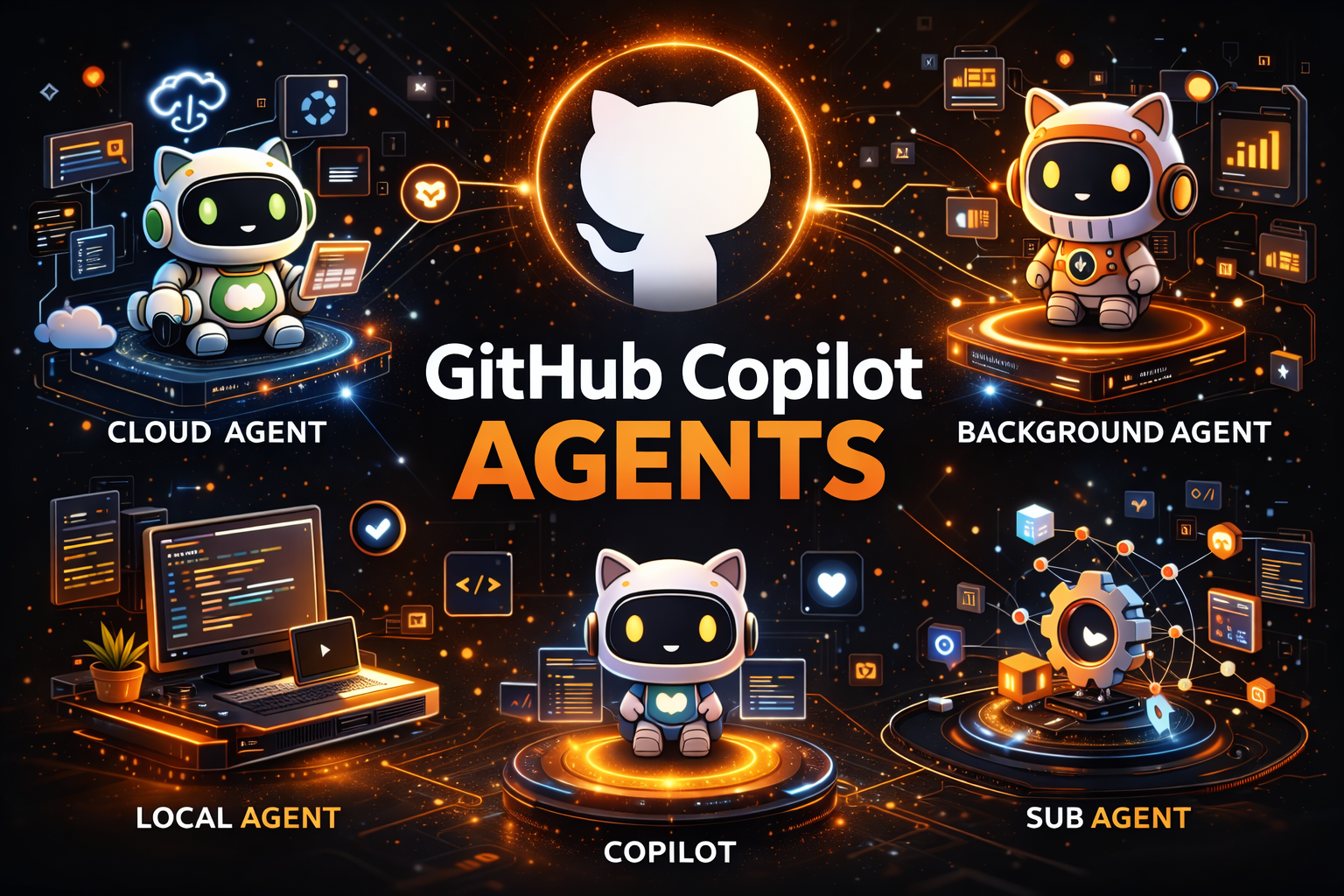
GitHub Copilot in VS Code now supports four distinct agent types, each designed for different workflows and levels of autonomy. Local Agent is your interactive coding partner, running in VS Code with full access to all your tools, MCP servers, and three personas (Agent, Plan, Ask). Coding Agent (Cloud) runs on GitHub’s cloud infrastructure via Actions runners, works fully autonomously on issues, and creates PRs while you’re away. Background Agent (Copilot CLI) runs locally but outside the VS Code process; it survives restarts, supports parallel sessions, and can hand off work to cloud agents with /delegate. Sub-Agents are the secret weapon for context management, running as isolated subtasks within a parent agent session, keeping the main agent’s context window clean while handling research, analysis, or parallel tasks.

Key insight: If you’re using a 1x premium model like Claude Sonnet 4, sub-agent calls are effectively free, making them the most cost-efficient way to scale complex multi-step workflows without burning through your premium request budget.

📝 Update (May 2026): Since this post was originally written, GitHub has renamed the Background Agent to Copilot CLI Agent. The functionality remains the same, but the official branding now reflects its CLI-based architecture. References throughout this post use the original “Background Agent” naming for consistency with the January 2026 release, but you’ll see it labeled as “Copilot CLI” in the VS Code session dropdown and documentation.


GitHub Copilot has evolved far beyond simple code completions. With agent mode in VS Code, developers gained an autonomous coding assistant that could plan, execute, and iterate on complex tasks. But as workflows grew more sophisticated, a single agent type wasn’t enough to cover every scenario, from quick interactive debugging to full autonomous issue resolution that runs while you sleep.

Today, GitHub Copilot in VS Code supports four distinct agent types, each optimized for different workflows, contexts, and levels of autonomy. Understanding when to use each one, and how they interact, is the difference between fighting your tools and having them work seamlessly for you.

Read more