GitHub Copilot CLI vs Local vs Cloud: Agents Explained (2026)

GitHub Copilot CLI vs Local vs Cloud: Agents Explained (2026)

TL;DR

The four agent types I described in January are no longer the right map for VS Code. Choose a harness, where the session runs and a model, then set the role and permissions.

The Copilot harness is now the default. It shares a runtime with other Copilot products and runs through the Agent Host, so a session can outlive its editor window, but not a stopped host.

Cloud sandboxes let work continue without your laptop. Under GitHub AI Credit billing, sub-agents consume tokens at their own models’ rates, so context isolation is still useful, but it isn’t free.

Comparing GitHub Copilot CLI vs Local vs cloud? They aren’t three equivalent agent types. Copilot CLI is a terminal interface, Local is a VS Code harness, and cloud describes where the agent’s tools run. The Copilot SDK is the programmable way to embed the Copilot runtime in your own application, not another execution location.

This is Part 2 of my GitHub Copilot agents guide: the current comparison, including what changed since the original four types.

In a hurry? Jump to the updated decision guide, then come back for the architecture and the money bit.

Ten months is a long time in agent land

When Part 1 went out on 10 January, I split GitHub Copilot agents into Local, Background, Cloud and Sub-agents. It was a useful way to explain the workflows, but it mixed together where an agent ran, how you interacted with it and how it delegated.

Since then, VS Code has moved to weekly releases, GitHub has rebuilt Copilot billing, and the old boxes have stopped lining up with the controls in front of us.

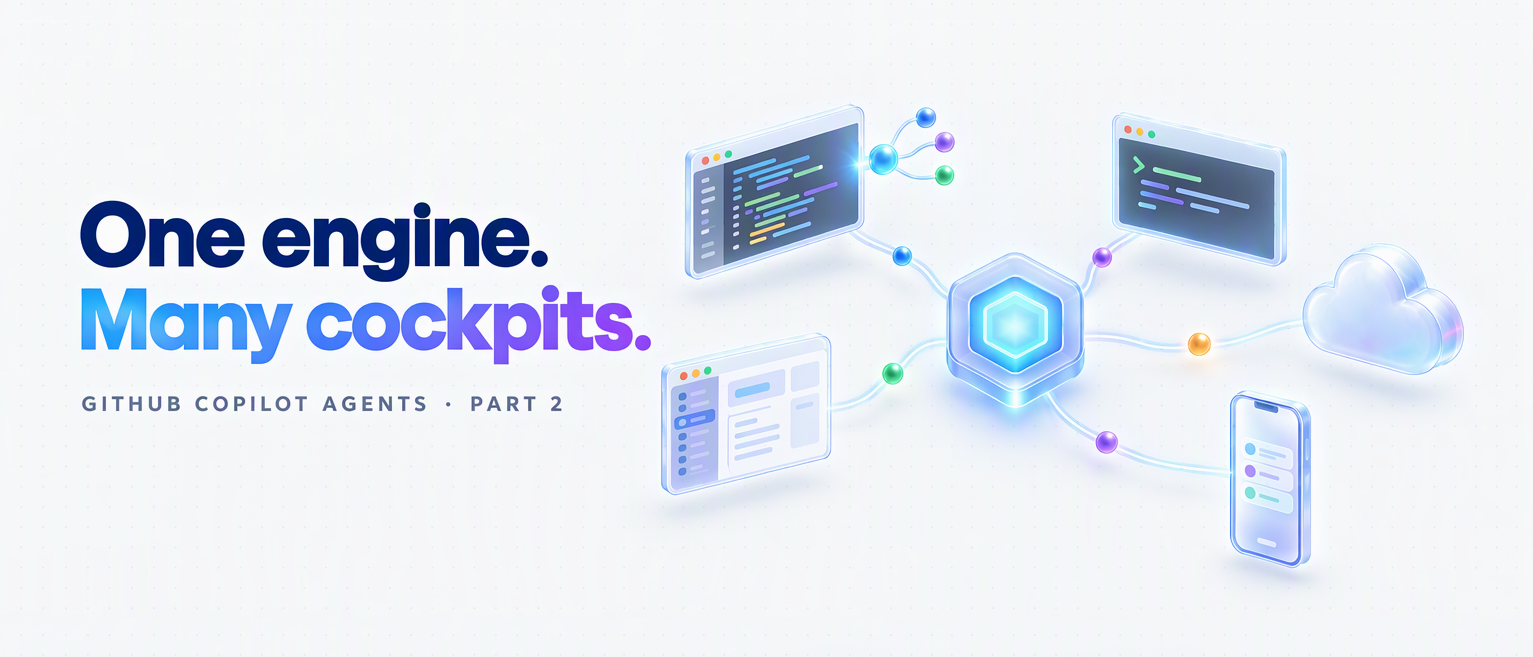
The better mental model is one Copilot engine with many cockpits, alongside other providers’ harnesses. This post is a November 2026 snapshot, checked against the primary sources on 3 November, covering VS Code 1.144 and GitHub’s 28 October cloud rollout.
Read more
AGENTS.md vs Copilot Instructions vs Cursor Rules vs CLAUDE.md: Which AI Context File to Use, and When (2026)

AGENTS.md vs Copilot Instructions vs Cursor Rules vs CLAUDE.md: Which AI Context File to Use, and When (2026)

TL;DR

  • AGENTS.md is the portable format for project instructions. Most major coding agents read it; Gemini CLI needs a setting.
  • Copilot also has its own instructions, rules for matching paths, custom agents and skills. .github/copilot-instructions.md reaches the most Copilot surfaces.
  • Within an AGENTS.md hierarchy, the nearest applicable file specialises its parents. Your explicit chat instructions take priority for the task.
  • Context files change agent behaviour. The research does not show that they reliably improve correctness, speed or cost.

Keep one lean source of verified project rules: AGENTS.md when several tools share the repo, or copilot-instructions.md for a Copilot team. Treat it as an operating guide, not a performance switch.

In a hurry? Jump to the quick comparison, then come back for precedence, the research and the decision guide.

If you use an AI coding agent every day, whether that’s GitHub Copilot, Cursor, Claude Code, Codex or Gemini CLI, you’ve felt this particular flavour of tedium: you keep typing the same rules into every prompt.

“Use Vitest, not Jest. Don’t touch /legacy. Named exports only. Return { data, error } from every endpoint.”

The agent obeys for one session, you close your editor, and tomorrow you type it all again. That isn’t a prompting problem. It’s a missing context layer: the middle tier between what you ask in the moment (the prompt) and the whole system you build around the model (the harness).

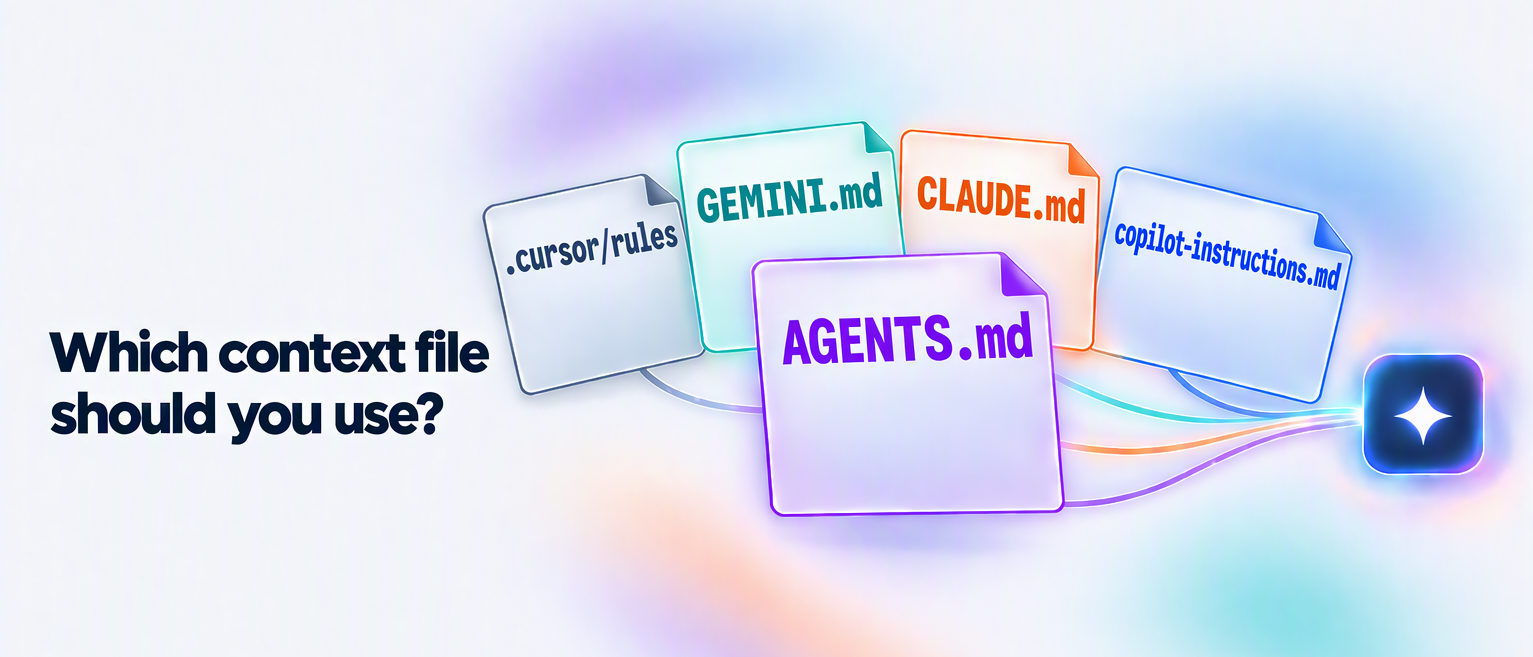
That layer has a name now. Several names, actually, and that’s exactly the problem: AGENTS.md, copilot-instructions.md, .cursorrules, CLAUDE.md, GEMINI.md, Skills, custom agents. They overlap, they compete, and they keep moving. In 2026 alone, Claude Code started reading AGENTS.md, Windsurf became Devin Desktop, and Copilot’s coding agent became the cloud agent. Almost nobody explains how they fit together or which one you should actually use.

This post untangles all of it: what each file is, how they interact, what the research says about whether they even work, and, most importantly, which file to reach for, and when.

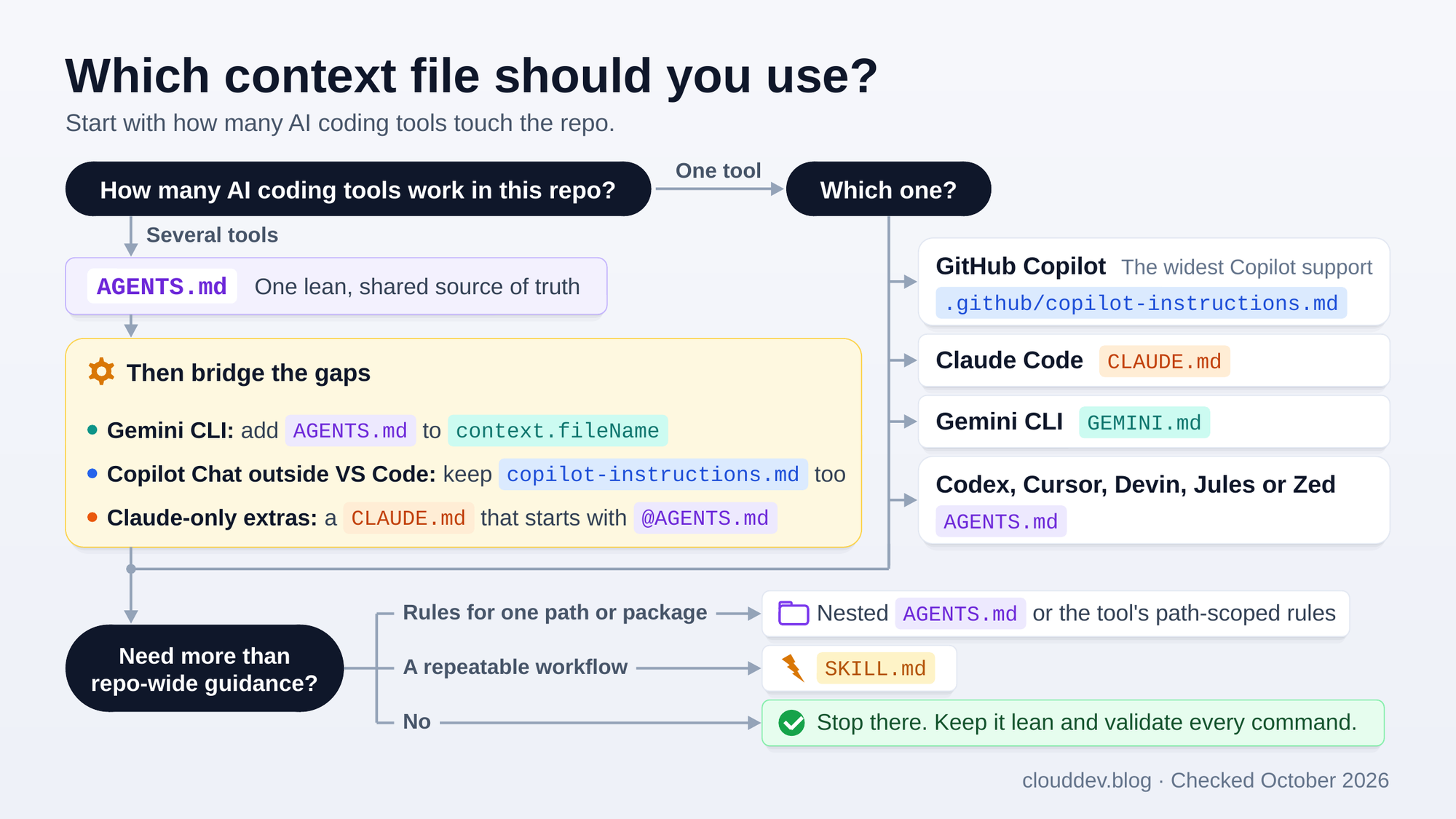
TL;DR diagram: which file should you use?

Here’s the whole decision on one page. The rest of the post explains every box in it.

Decision tree for choosing an AI context file. With one tool: GitHub Copilot uses .github/copilot-instructions.md, Claude Code uses CLAUDE.md, Gemini CLI uses GEMINI.md, and Codex, Cursor, Devin, Jules or Zed use AGENTS.md. With several tools: one lean AGENTS.md as the shared source of truth, then bridges for Gemini CLI, Copilot Chat outside VS Code and instructions just for Claude. Nested files, rules for matching paths and SKILL.md files come only when you need them.

For example, Copilot in VS Code and Claude Code can share one AGENTS.md when there’s no CLAUDE.md. A Copilot team can start with .github/copilot-instructions.md. Cursor users alongside Copilot Chat in Visual Studio need both. A deploy or release procedure belongs in a SKILL.md, whichever instructions the repo uses.

Read more
AI Engineering Coach: Measure How You Actually Code with AI

AI Engineering Coach: Measure How You Actually Code with AI


🎯 TL;DR

AI Engineering Coach is an open-source VS Code extension from Microsoft that reads the local session logs your AI coding assistants already write, then turns them into a private analytics dashboard. It scores your prompting habits, flags anti-patterns, measures your AI-generated output, and surfaces repeated prompts you could promote into reusable skills.

It’s harness-agnostic (Claude Code, GitHub Copilot, Copilot CLI, Codex, OpenCode, and more), runs 100% locally, and does not cost you extra tokens for its core analytics. Think of it as a Strava for the way you work with AI.

Repo: github.com/microsoft/AI-Engineering-Coach

⚡ In a hurry? Jump to the install steps, then come back for the why.

The question nobody is measuring

Most of us now reach for an AI coding assistant before we reach for the keyboard. GitHub Copilot, Claude Code, Codex, Gemini CLI. They’ve quietly become the default surface for writing software. But here’s the uncomfortable question I kept coming back to:

Am I actually getting better at this, or am I just using it more?

We obsessively measure the AI: token counts, model benchmarks, latency. We almost never measure ourselves: the quality of our prompts, how often we review what the model generated before shipping it, whether we keep re-typing the same instructions, whether our repos even give the agent enough context to succeed.

That’s the gap the AI Engineering Coach fills. It doesn’t write code for you. It holds up a mirror to how you write code with AI, and that distinction is the whole point.

flowchart LR
    You([You, coding with AI]) -->|prompts · edits · tool calls| Tools["AI coding tools
Copilot · Claude Code · Codex · ..."] Tools -->|already write| Logs[("Local session logs
on disk")] Logs --> Coach["AI Engineering Coach
reads, never writes"] Coach -->|reflects back| Insights["Prompt quality · anti-patterns
output · reusable skills"] Insights -.->|so you level up| You style Coach fill:#cce5ff,stroke:#1f6feb,stroke-width:2px,color:#000 style Insights fill:#e6ffed,stroke:#2da44e,color:#000 style Logs fill:#fff4c2,stroke:#b7950b,color:#000

The loop nobody closes: your tools already write the logs. The Coach just reads them back to you, so the feedback finally points at you, not the model.

Read more