Preserving Custom Query String Parameters Through Azure App Service Easy Auth
🎯 TL;DR
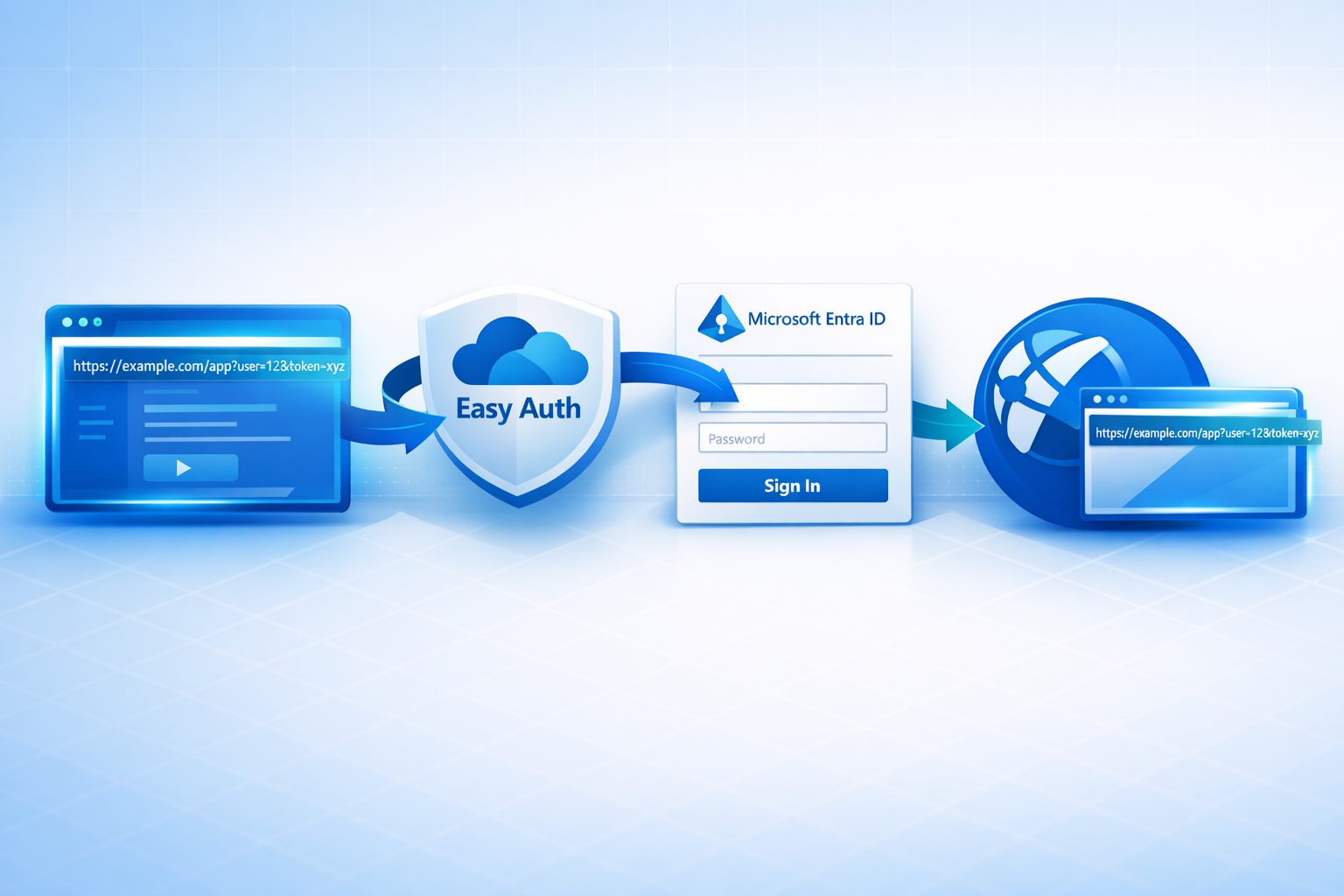
Azure App Service’s built-in authentication (“Easy Auth”) preserves the original path and query string, every custom parameter included, across the Microsoft Entra ID OAuth round trip. Your app gets the request back with the query string fully intact and zero authentication code. (URL fragments need a separate opt-in, see Gotchas.)
The mechanism is the standard OAuth 2.0
stateparameter: Easy Auth encodes the original path + query intostate, Entra echoes it back, Easy Auth302s the browser to the original URL after sign-in.Bonus finding from the captured traces: an inbound
login_hinton the request is forwarded to Entra so the sign-in page is pre-populated, nologinParametersconfiguration needed.Full reproducible scenario (Bicep + sample app + deploy scripts) in the Azure Scenario Hub: src/app-service-easy-auth. Clone,
./deploy-infra.ps1, watch the round-trip in your own browser in ~3 minutes.
A question I ran into recently:
If we put a
login_hint, arecordId, and a bunch of other custom things in the query string, and let Easy Auth redirect to Entra for sign-in, will those query string parameters come back to us after authentication? Or do we have to write code to stash them somewhere first?
The answer is yes, they come back, and no, you don’t have to write any code. Easy Auth handles it natively. This post walks through how, with HTTP traces captured byte-for-byte from a live deployment, all reproducible from the Azure Scenario Hub.
About the Azure Scenario Hub
This write-up is backed by a scenario in the Azure Scenario Hub, an open-source collection of end-to-end, deploy-it-yourself Azure scenarios I maintain. Each scenario is a fully working slice of a real-world question: opinionated IaC (Bicep), runnable sample apps, deploy and cleanup scripts, and a write-up explaining what it proves. The goal is simple: when someone asks “does this Azure feature actually behave the way the docs imply?”, there should be a repo you can clone, deploy, and verify the answer in an afternoon, not a forum thread of opinions.
This post is the write-up for one such scenario, app-service-easy-auth. The Bicep, the demo app, the deploy script, and the captured traces are all in the repo; reproduction instructions are at the bottom of this post.
If you find that valuable, please star github.com/Ricky-G/azure-scenario-hub; it genuinely helps surface the project for others hitting the same questions. PRs with new scenarios are very welcome too.
The problem
A common pattern in line-of-business web apps:
A user arrives at the app via a deep link that contains custom parameters in the query string, for example a record ID, a tenant key, a campaign code, a feature flag, or a workflow step:
The user isn’t signed in yet, so we have to send them to Microsoft Entra ID for authentication. After they sign in, we need to come back to the exact same URL with the exact same query string, otherwise the app has no idea what the user was trying to do.
The instinctive reach is to write some middleware that stashes the query string in a cookie before the redirect, then pulls it back out on the way in. You don’t need to. Easy Auth already does it.
The scenario in one picture
flowchart LR
    User([User clicks deep link])
    Browser[Browser]
    EA[App Service
Easy Auth]
    Entra[Microsoft
Entra ID]
    App[Your app code]

    User -->|/landing?recordId=12345&tenant=acme| Browser
    Browser -->|GET with query string| EA
    EA -->|Redirect to authorize| Entra
    Entra -->|Callback with code + state| EA
    EA -->|Redirect to ORIGINAL URL
query string intact| Browser
    Browser -->|GET /landing?recordId=12345&tenant=acme| App
    App -->|Render using
req.query.recordId etc.| Browser

    style EA fill:#0078d4,color:#fff
    style Entra fill:#5e2750,color:#fff
    style App fill:#107c10,color:#fff
The app never sees the OAuth handshake. It just gets the original request back, with the user authenticated and the query string preserved.
How does Easy Auth actually do it?
The mechanism is delightfully simple: Easy Auth uses the standard OAuth 2.0 state parameter to round-trip the original URL through Entra. Here’s the full flow, captured byte-for-byte from a live deployment:
sequenceDiagram
    autonumber
    participant B as Browser
    participant EA as App Service
(Easy Auth middleware)
    participant E as Microsoft Entra ID
(login.microsoftonline.com)
    participant App as Your App Code
(Node / .NET / Python / …)

    rect rgb(232, 244, 253)
    note over B,EA: 1. Unauthenticated request with custom query string
    B->>EA: GET /landing?recordId=12345&tenant=acme&login_hint=alice@contoso.com
    note right of EA: Easy Auth builds the authorize URL,
encodes the original URL into state,
auto-forwards login_hint to Entra
    EA-->>B: HTTP 200 OK, HTML + JS
Set-Cookie: Nonce=…
Inline script calls window.location.replace(authorize_url)
    end

    rect rgb(252, 243, 224)
    note over B,E: 2. Browser JS navigates directly to Entra
    B->>E: GET /{tenant}/oauth2/v2.0/authorize
?response_type=code+id_token
&response_mode=form_post
&client_id=…
&redirect_uri=…/.auth/login/aad/callback
&scope=openid+profile+email
&login_hint=alice@contoso.com
&nonce=…
&state=redir%3D%252Flanding%253FrecordId%253D12345%2526tenant%253Dacme%2526login_hint%253D…
    E-->>B: Sign-in page (pre-populated via login_hint)
    B->>E: Credentials / MFA
    E-->>B: HTTP 200, auto-POST form
(action = redirect_uri, fields = code, id_token, state)
    end

    rect rgb(232, 244, 253)
    note over B,EA: 3. Easy Auth handles the callback
    B->>EA: POST /.auth/login/aad/callback
(form-encoded: code, id_token, state)
    note right of EA: Validate id_token & nonce,
exchange code for tokens,
set AppServiceAuthSession cookie,
decode state → original URL
    EA-->>B: HTTP 302 → /landing?recordId=12345&tenant=acme&login_hint=alice@contoso.com
Set-Cookie: AppServiceAuthSession=…
    end

    rect rgb(228, 246, 232)
    note over B,App: 4. Authenticated request reaches the app
    B->>EA: GET /landing?recordId=12345&tenant=acme&login_hint=alice@contoso.com
Cookie: AppServiceAuthSession=…
    EA->>App: Forward request +
x-ms-client-principal header (Base64-encoded claims)
x-ms-client-principal-name, -id, -idp
    App-->>B: HTTP 200, renders page using req.query.recordId, req.query.tenant, …
    end
The key insight: the state parameter
When Easy Auth builds the Entra authorize URL in step 1, it URL-encodes the original request path + query string into the OAuth state parameter. The exact value captured from a live deployment was:
1 | state=redir%3D%252Flanding%253FrecordId%253D12345%2526tenant%253Dacme%2526login_hint%253Dalice%2540contoso.com |
Double URL-decoded, that’s:
1 | redir=/landing?recordId=12345&tenant=acme&login_hint=alice@contoso.com |
Entra echoes state back unchanged when it posts to the callback in step 3. Easy Auth parses it, sets the auth cookie, and 302s the browser to the URL inside redir=. The whole machinery boils down to: stuff the URL into state, get it back, redirect.
The bonus: login_hint is auto-forwarded
While we’re here, look at step 2 of the sequence diagram. The authorize URL Easy Auth generated contains two different mentions of login_hint:
- As a top-level query parameter on the Entra authorize URL:
&login_hint=alice@contoso.com. Entra uses this to pre-populate the sign-in page. - Inside
state:…login_hint%253Dalice%2540contoso.com. Round-tripped back to the app.
In this captured Easy Auth + Entra flow, when login_hint appears in the inbound query string, Easy Auth picks it up and forwards it to Entra automatically. You get a “deep link with pre-filled username” feature without configuring loginParameters statically in authsettingsV2. I haven’t found a docs page that nails this down as a public contract, so treat it as observed behaviour and verify in your own traces before relying on it.
⚠️ Don’t treat
login_hintas a security claim. As the Microsoft docs note, the user can override or remove it before authenticating. It’s a UX nicety, not an authorisation control.
The Bicep that wires it up
This is the entire Easy Auth configuration:
1 | resource authSettings 'Microsoft.Web/sites/config@2023-12-01' = { |
Three things to call out:
requireAuthentication: true+unauthenticatedClientAction: 'RedirectToLoginPage', this is what causes Easy Auth to intercept unauthenticated requests instead of letting them through.preserveUrlFragmentsForLogins: true, for the URL fragment edge case (see Gotchas below).clientSecretSettingName, points to an app setting holding the Entra client secret. Configuring a secret switches Easy Auth to the OAuth hybrid flow (response_type=code id_token,response_mode=form_post), which keeps the code-for-token exchange server-side and avoids the implicit-flow fallback. The docs explain why.
That’s it. No middleware, no SDK, no auth controller, no token validation code.
The whole app, in 20 lines of Node
The actual demo app that produced the captured traffic is small enough to paste in full:
1 | const express = require('express'); |
No passport, no msal-node, no token validation. The app trusts Easy Auth to do all of it and just reads:
req.query, the original query string, exactly as the user typed it.x-ms-client-principal-name, a human-readable name for the signed-in user, typically the UPN or email.x-ms-client-principal, Base64-encoded JSON containing the claims App Service exposes from the validated id_token (subject to its claim-mapping rules).
Gotchas
A few things worth knowing before you ship this pattern in production.
1. URL fragments (#…) need an opt-in
Browsers never send URL fragments to the server, so Easy Auth can’t see #section2 to encode it into state. The Bicep above already sets preserveUrlFragmentsForLogins: true, and you can also enable the same behaviour via the legacy app setting:
1 | WEBSITE_AUTH_PRESERVE_URL_FRAGMENT = true |
These are two configuration surfaces for the same feature, you only need one. When enabled, Easy Auth uses a small client-side trick (a temporary PreLoginUrlFragment cookie) to preserve the fragment across the round trip. Documented here.
2. Treat round-tripped parameters as untrusted
Anything in the query string was supplied by the caller. Just because it survived the OAuth round trip doesn’t mean it’s been validated against anything. Treat recordId, tenant, etc. as user input, sanitise, authorise, and never use them directly in queries without parameter binding.
3. The callback is a POST, not a GET
If you’re putting a WAF, App Gateway, or Front Door in front of App Service, make sure your rules allow POST /.auth/login/aad/callback with a form-encoded body. Easy Auth uses the OAuth hybrid flow with response_mode=form_post, which is more secure than passing tokens in URL fragments but trips up over-eager security rules occasionally.
4. forwardProxy setting if you’re behind Front Door
When App Service sits behind Azure Front Door or another reverse proxy, the default redirect URI uses App Service’s internal hostname instead of the public one. Set forwardProxy.convention = 'Standard' so Easy Auth respects X-Forwarded-Host, or 'Custom' if your proxy uses non-standard forwarding headers (some App Gateway / WAF configurations do). Microsoft docs.
5. The initial response may be a 200 with JS navigation, not a 302
In the traces I captured, the unauthenticated request didn’t get a 302 with a Location header, it got HTTP 200 OK with a tiny HTML page that calls window.location.replace(...) from inline JavaScript. That’s deliberate, it lets Easy Auth set the Nonce cookie atomically with the navigation, which is used for CSRF protection on the callback. If you instrument with curl and expect a Location header, you’ll be confused. Bots and API clients that don’t run JavaScript get a 401 Unauthorized instead, with a WWW-Authenticate: Bearer ... header. Behaviour can vary by configuration, your mileage may differ.
Try it yourself
The full working scenario, Bicep templates, sample app, and deployment scripts, lives in the Azure Scenario Hub at src/app-service-easy-auth/.
To deploy:
1 | git clone https://github.com/Ricky-G/azure-scenario-hub.git |
The script creates the resource group, an Entra app registration, the Bicep stack, and zip-deploys the demo app. End-to-end it takes about three minutes. Then open any of the printed URLs in your browser and watch the query string round-trip through Entra ID.
If you find this kind of write-up useful, please star github.com/Ricky-G/azure-scenario-hub, it genuinely helps surface the project for others hitting the same questions.
Key Takeaways
- Easy Auth preserves the entire original URL, query string included, across the Entra sign-in round trip with zero app code. The mechanism is the standard OAuth 2.0
stateparameter. - Configuring a
clientSecretSettingNameswitches Easy Auth to the OAuth hybrid flow (response_type=code id_token,response_mode=form_post), which is more secure than the implicit-flow fallback. - An inbound
login_hintquery parameter is auto-forwarded to Entra, nologinParametersconfiguration needed, so deep links can pre-populate the sign-in page. - Set
WEBSITE_AUTH_PRESERVE_URL_FRAGMENT=trueif you also need URL fragments (#…) to survive the round trip. - Behind a reverse proxy (Front Door, App Gateway), set
forwardProxy.convention = 'Standard'so Easy Auth respectsX-Forwarded-Hostwhen building the redirect URI. - Anything that survives the round trip is still user input, validate and authorise it; don’t trust round-tripped values as claims.
References
- Demo Repository, Azure Scenario Hub
- Authentication and authorization in Azure App Service and Azure Functions (overview)
- Customize sign-ins and sign-outs in Azure App Service authentication
- Configure your App Service or Azure Functions app to use Microsoft Entra sign-in
- Work with user identities in Azure App Service authentication
Microsoft.Web sites/config 'authsettingsV2'Bicep/ARM reference
Image Credits:
- Cover image generated by Copilot
Preserving Custom Query String Parameters Through Azure App Service Easy Auth